
Game Introduction
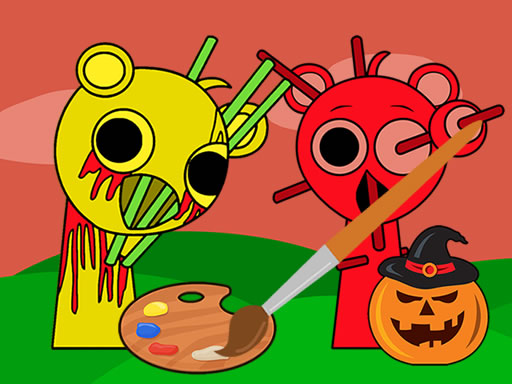
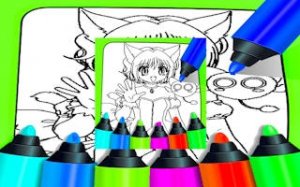
Spooky Sprunki Coloring Fun is a free online activity where players add color to playful Halloween-themed illustrations. The game provides a set of virtual felt-tip pens in many bright shades, along with circular tools of different sizes to help with precise coloring. Each picture features friendly characters such as pumpkins, ghosts, and cute monsters, making it suitable for children and families. The core objective is to fill each image with chosen colors, encouraging imagination and relaxation. What makes this game unique is its focus on creativity without any complex rules or time limits. Players can experiment freely, change colors at any point, and save their finished work to keep or share. No account creation or software installation is required, so anyone can start coloring immediately on a desktop or mobile device. The game offers a safe, calm environment where artistic expression is the main reward.
How to Play
To begin, select a picture from the available gallery. Then, pick a color from the palette displayed on the left side of the screen. Use the circular size options to adjust the brush width for either detailed sections or larger areas. Tap or click on the parts of the image you wish to color. Colors can be changed at any time, allowing for endless combinations. Once the artwork is complete, use the save function to store a copy on your device. The controls are designed for simple mouse or touch input, making the experience accessible for all ages.
Game Features
Spooky Sprunki Coloring Fun includes a variety of Halloween-themed pictures, a wide selection of bright colors, and adjustable brush sizes. The game is free to play online with no downloads or sign-ups. It works on both desktop and mobile devices, supporting mouse and touch interactions. A save feature allows players to keep their finished artwork.
Tips for Success
Begin with simpler pictures to get comfortable with the tools. Try different color combinations to make each image unique. Use smaller brush sizes for fine details and larger sizes for broad areas. Take your time and enjoy the process, as coloring is meant to be relaxing. Save your completed pieces to track your progress or share them with others.




Comments
0 comments